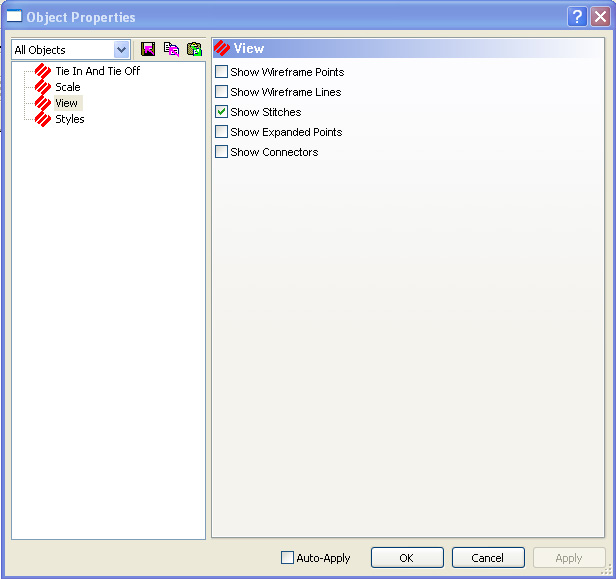
When you access the properties of a project, design, or element, you will see the View tab in the properties dialog (see the following image).
In the View tab, you can choose what you would like to display in the View Window. To show these items in the View Window, click in the box that is to the left of the option. A check mark in the box symbolizes that the option will be displayed. Click again to remove the check mark; this symbolizes that the option will not be displayed.
Remember that you can use the View tab at the project, design, or element level.
Show Connectors: This lets you view the connecting lines between elements. Basically they can be thought of as the needle movement from a tie off on one element to the tie in of another element. Connectors are viewed as dotted black lines in the View Window.
Show Expanded Points: This lets you view the expanded stitch points of a design.
Show Stitches: This lets you view the stitches as they would appear in a sew-out.
Show Wireframe Lines: This lets you view the wireframe outline of the element(s).
Show Wireframe Points: This lets you view the wireframe points of the element(s).
