Click on a menu item below to learn more.
If you are experiencing problems with your keypad, you may want to perform a keypad test. A keypad test will tell you if the keypad is communicating with your AMAYA machine.
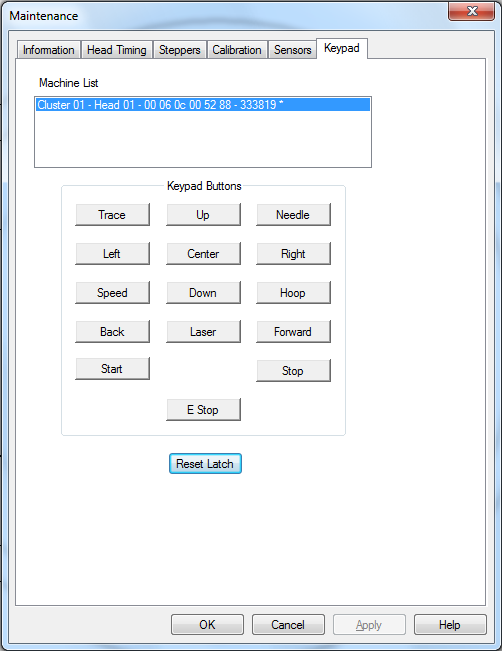
Use the Keypad in the Maintenance window in AMAYA OS to perform a keypad test.
Each button in this section corresponds to a key on the AMAYA keypad.
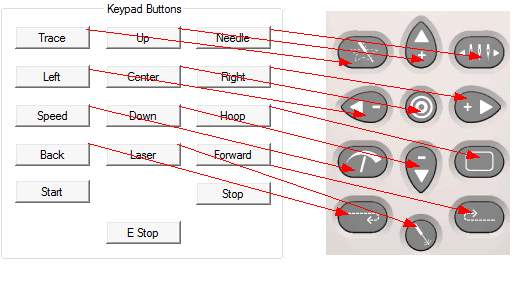
When a key on the keypad is pressed, the corresponding button turns bright pink if the keypad is functioning properly.
When the corresponding key on the keypad is released, the button turns back to gray, but the font color of the button changes to yellow if the keypad is functioning properly.
If none of these buttons change color, that indicates a problem with either the user interface harness, a loose connection, or a problem in the Main PCB.
The first button pressed while this screen is visible puts the keypad in test mode.
Press to reset keypad latch on the Main PCB (this basically resets Test Mode).